LESSON 16.01 · 40 MIN PRACTICE
Collaboration, project libraries, and media paths
A shared project is not the same as shared media. Collaborators need compatible project access, consistent versions, and a reliable way to reach the source files.
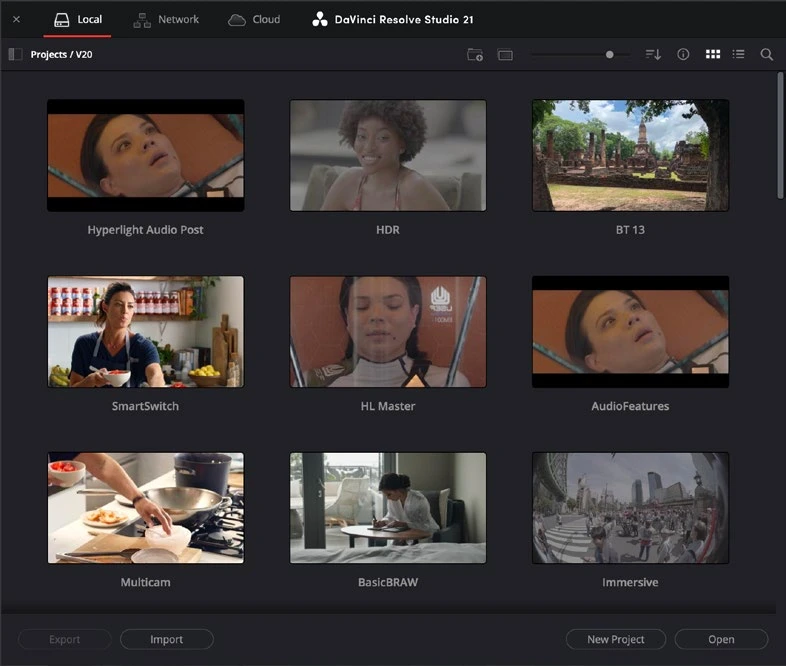
ACTUAL RESOLVE INTERFACEView full size ↗
Work through it
- Define responsibilities for editor, colorist, and sound work. Agree on Resolve versions and project naming before exchanging active work.
- Compare a local project library with a shared Project Server or Blackmagic Cloud workflow. Understand where the project lives and separately where the media lives.
- Test a short shared project with two workstations if available. Verify media paths, proxies, audio, fonts, and plugins, then observe locking and update behavior.
- Set a revision and communication convention. Before a major change, create a recoverable version and record what another collaborator must refresh or review.
Your turn
Create a handoff checklist for a second workstation. If working alone, simulate the handoff by opening a copied project with a separate media folder.
QUICK KNOWLEDGE CHECK
What must be shared or made accessible in addition to project data?
Your notes
Write down what worked, what surprised you, and what to try next. Saved on this device.
Original practical lesson · Open the in-house resource shelf for practice files and definitions. Completion records your self-assessment, not certification.