LESSON 02.02 · 30 MIN PRACTICE
Sync sound and interpret audio channels
Production sound often lives in a separate recorder file. Sync aligns its timing to picture. Channel mapping determines which recorded signal appears on which timeline channel.
ACTUAL RESOLVE INTERFACEView full size ↗
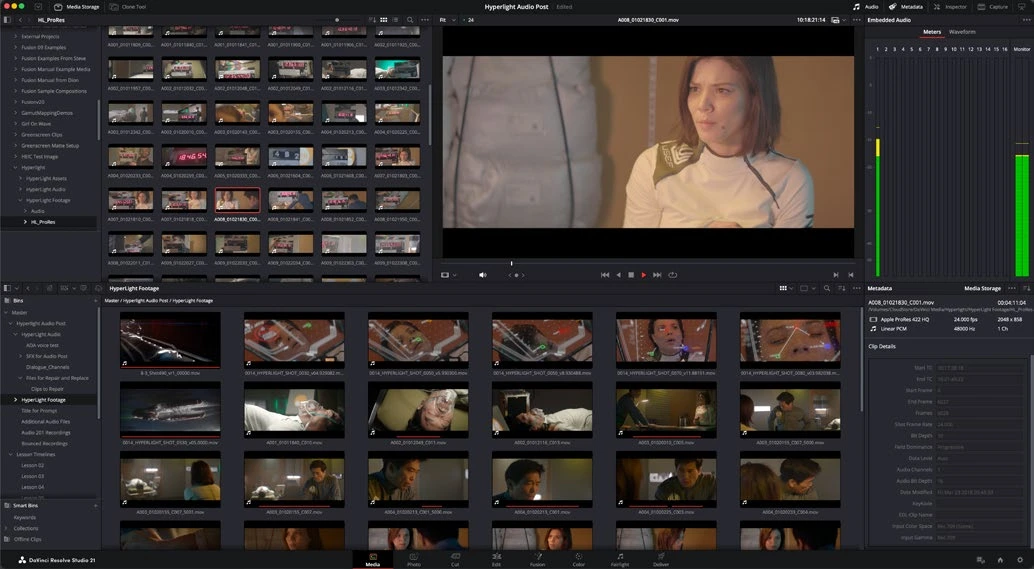
Work through it
- Import a camera clip and its matching recorder audio. Listen to both. Identify a slate clap, a clear transient, or reliable shared timecode that can serve as a sync reference.
- Select matching sources in the Media Pool and use Auto Sync Audio with the appropriate timecode or waveform method. Preserve camera audio as an additional reference when the available option fits your workflow.
- Open the synced source and inspect the beginning, middle, and end. A sync result that starts correctly can still drift if recording clocks or rate interpretation differ.
- Review Clip Attributes > Audio for a multichannel recording. Map useful microphone channels correctly and avoid sending a silent or duplicate channel into your edit.
Your turn
Sync one interview clip and check lip movement against consonants at three points. Label the microphone tracks clearly. If you have only phone footage, practice mapping its existing stereo channels and describe what you hear.
QUICK KNOWLEDGE CHECK
How do you verify an automatically synced clip?
Your notes
Write down what worked, what surprised you, and what to try next. Saved on this device.
Original practical lesson · Open the in-house resource shelf for practice files and definitions. Completion records your self-assessment, not certification.