LESSON 02.04 · 35 MIN PRACTICE
Relink offline media and consolidate a project
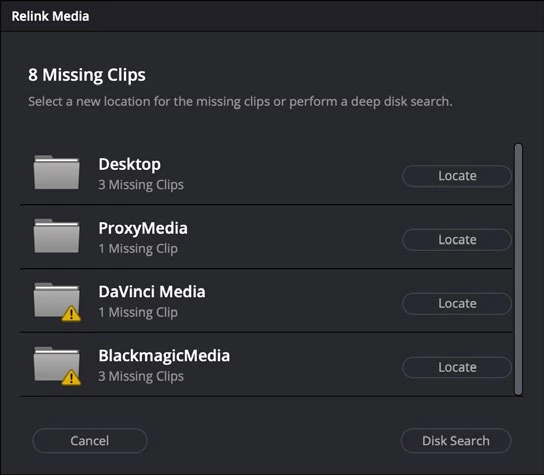
Media offline usually means Resolve cannot access the expected source path, or cannot decode the file. Diagnose the reason before rebuilding the edit.
ACTUAL RESOLVE INTERFACEView full size ↗
Work through it
- On a disposable copy of your practice project, close Resolve and move one copied media folder. Reopen the project and observe which clips become offline. Do not experiment on your only originals.
- Select the affected clips or bin and use Relink Selected Clips. Point Resolve to the actual new media location and let it search. A drive letter or volume-name change may be the only difference.
- Compare duration, timecode, audio, and frames at edit boundaries after relinking. Repeated camera filenames can connect the wrong shot if identity is not checked.
- Explore Media Management for copying used media into a new destination. Choose Copy for a safe rehearsal. Include sufficient handles if you trim media, and test the result before discarding anything.
Your turn
Make a copied, consolidated version of a short project and reopen it with the original media location temporarily unavailable. Confirm that all used clips play.
QUICK KNOWLEDGE CHECK
What should follow relinking?
Your notes
Write down what worked, what surprised you, and what to try next. Saved on this device.
Original practical lesson · Open the in-house resource shelf for practice files and definitions. Completion records your self-assessment, not certification.