LESSON 05.02 · 40 MIN PRACTICE
Speed changes, freeze frames, and optical flow
Retiming changes how source time maps to timeline time. Simple frame sampling, frame blending, and optical-flow interpolation produce different artifacts. The right method depends on movement and available frames.
ACTUAL RESOLVE INTERFACEView full size ↗
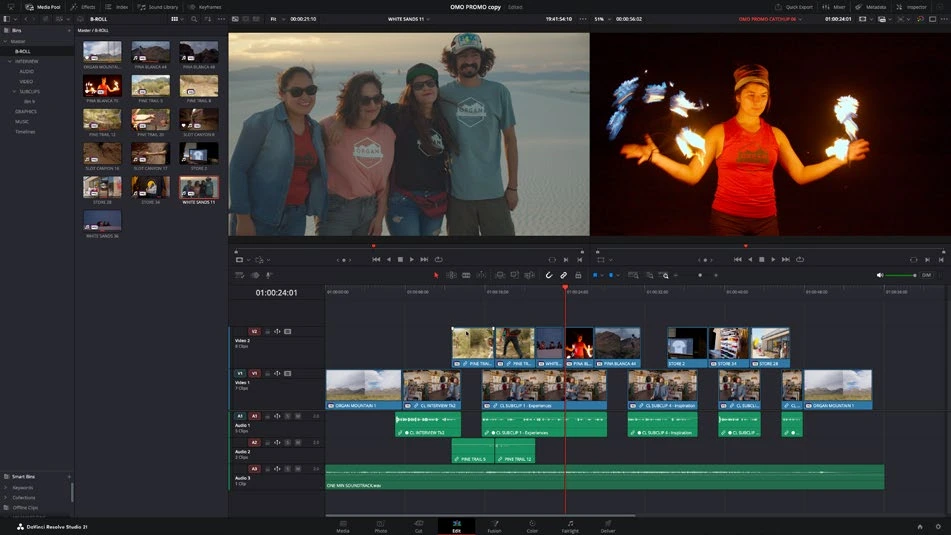
Work through it
- Duplicate a short shot and use Change Clip Speed or Retime Controls to create a constant-speed slow version. Check its duration and how the change affects adjacent clips.
- Add speed points to build a ramp. Open retime curves and adjust the speed transition so acceleration supports the action rather than feeling accidental.
- Compare the available retime-process settings on a difficult section. Inspect occlusion edges, crossing limbs, water, and fast pans, where invented frames may fail.
- Create a brief freeze frame deliberately and add enough context before and after it. Render a short test; real-time preview can skip frames and hide interpolation defects.
Your turn
Create a slow section, a speed ramp, and a freeze using one clip. Export each and identify the cleanest method for the source material.
QUICK KNOWLEDGE CHECK
Why inspect a rendered optical-flow result?
Your notes
Write down what worked, what surprised you, and what to try next. Saved on this device.
Original practical lesson · Open the in-house resource shelf for practice files and definitions. Completion records your self-assessment, not certification.