Read waveform, parade, and vectorscope
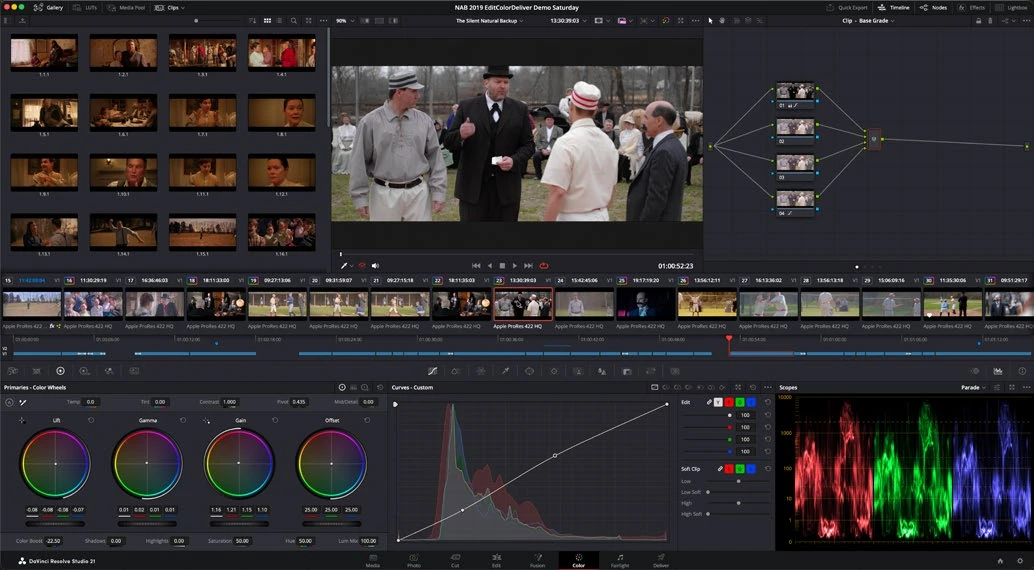
Scopes reveal measurable signal relationships. The waveform shows brightness by horizontal position; RGB parade separates channels; the vectorscope displays color direction and saturation. They support your judgment rather than replacing it.
Work through it
- Open scopes and display waveform and RGB parade. Move the playhead from a dark shot to a bright shot and correlate visible image areas with the trace.
- Raise and lower exposure gently. Watch the waveform move. Check whether highlights flatten at a limit, which can signal clipping somewhere in the processing chain.
- Find a neutral object with known lighting context. Compare its channel balance in RGB parade, but do not assume every object that looks white should be numerically neutral under colored lighting.
- Open the vectorscope and increase saturation temporarily. Observe the trace move outward, then undo. Use skin-tone guidance as a reference, not a command to make every face identical.
Your turn
Choose three shots and describe their contrast and color using both the image and scopes. Identify a clipped highlight if one exists; do not invent one if it does not.
LESS EFFECTIVE
Force every shot to fill the whole waveform.
BETTER APPROACH
Use scopes to verify the intended scene and delivery limits.
What does the vectorscope primarily reveal?
Your notes
Write down what worked, what surprised you, and what to try next. Saved on this device.
Original practical lesson · Open the in-house resource shelf for practice files and definitions. Completion records your self-assessment, not certification.