LESSON 07.02 · 35 MIN PRACTICE
Tracking and corrections that follow the subject
Tracking estimates movement over time. A correction should follow the intended subject without drifting, pulsing, or snapping. Automatic tracking is a starting point that needs review.
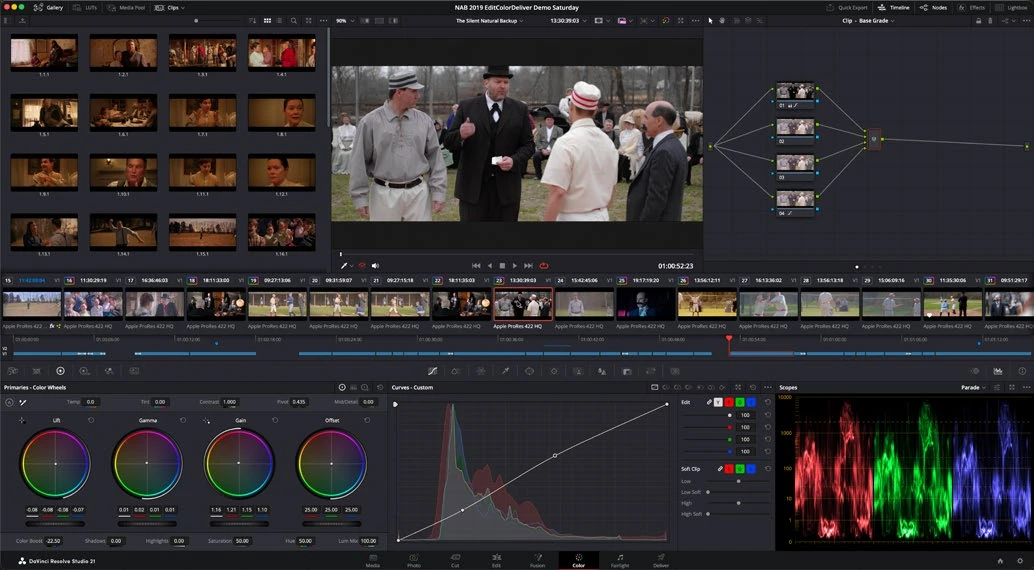
ACTUAL RESOLVE INTERFACEView full size ↗
Work through it
- Create a soft window around a face or object on a clear reference frame. Keep the window slightly generous so minor tracking errors do not expose a hard boundary.
- Open the tracker and track forward and backward as needed. Watch the tracker’s behavior around occlusion, motion blur, and the subject leaving the frame.
- Inspect the full shot. Correct failures with additional tracking segments, manual adjustments, or keyframes appropriate to the tool rather than hiding drift with extreme softness.
- Temporarily exaggerate the correction to reveal whether its coverage slips. Return the adjustment to a subtle value before evaluating the final image.
Your turn
Track a moving subject for five seconds, including one difficult moment. Add a gentle exposure correction and verify that the boundary is invisible during playback.
QUICK KNOWLEDGE CHECK
When does a successful track need review?
Your notes
Write down what worked, what surprised you, and what to try next. Saved on this device.
Original practical lesson · Open the in-house resource shelf for practice files and definitions. Completion records your self-assessment, not certification.