LESSON 07.03 · 35 MIN PRACTICE
Curves, hue relationships, and controlled looks
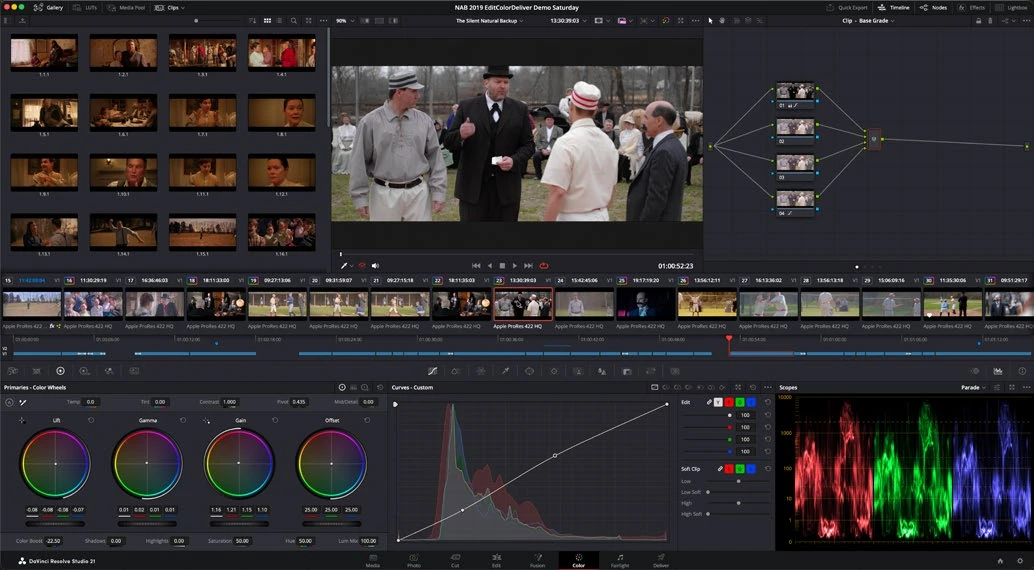
Curves map input values to output values. They can shape contrast or adjust one color relationship without globally changing the entire image. A useful look remains consistent across different shots.
ACTUAL RESOLVE INTERFACEView full size ↗
Work through it
- On a balanced shot, add a dedicated look node. Make a gentle custom-curve adjustment and watch the effect on shadow and highlight separation.
- Try a hue-specific curve to restrain an overly bright or saturated background color. Place surrounding control points so the adjustment transitions gradually.
- Compare saturation in highlights, midtones, and shadows. Use an appropriate luminance-versus-saturation control when a tonal region becomes distracting.
- Test the look on three contrasting images: skin, foliage, and a low-light scene. Refine the look so it does not destroy one of those cases.
Your turn
Create a restrained warm-highlight/cool-shadow or other intentional look, then write down which parts of the image must stay natural. Apply it to three shots and make individual balancing adjustments.
QUICK KNOWLEDGE CHECK
Why test a look on multiple kinds of shots?
Your notes
Write down what worked, what surprised you, and what to try next. Saved on this device.
Original practical lesson · Open the in-house resource shelf for practice files and definitions. Completion records your self-assessment, not certification.