LESSON 07.04 · 40 MIN PRACTICE
Parallel nodes, layers, groups, and shared grades
Node topology describes how corrections combine. Serial processing is sequential. Parallel and layer structures combine branches differently. Groups separate shared scene work from individual shot adjustments.
Group pre-clip›Individual clip balance›Group post-clip
Conceptual workflow · read from left to right
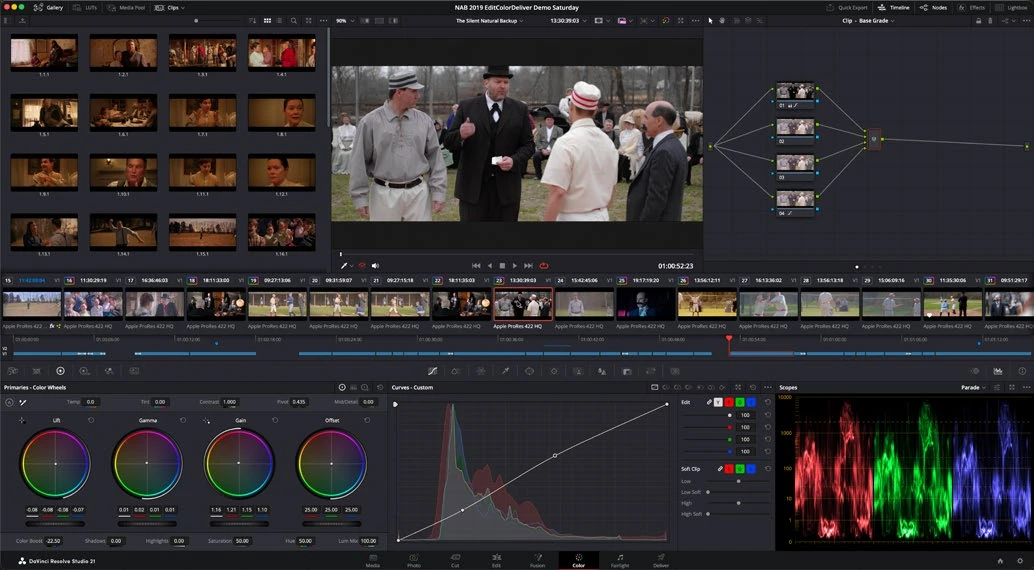
ACTUAL RESOLVE INTERFACEView full size ↗
Work through it
- Duplicate a balanced grade. Create two branches for separate corrections, such as a subject and background treatment, and combine them using the appropriate mixer. Compare the result with the serial version.
- Inspect how branch order and compositing behavior change when using a Layer Mixer. Keep the selection and blending logic explicit rather than choosing a topology by appearance alone.
- Place related clips into a group. Inspect Group Pre-Clip, Clip, and Group Post-Clip contexts, and decide which changes should be shared across the group.
- Keep shot balance at the clip level while applying an appropriate shared treatment in a group context. Test a change and verify every group member, including an unusual shot.
Your turn
Create a three-shot group with individual exposure corrections and a shared look. Change the shared look once and confirm all three shots update without losing their individual balance.
QUICK KNOWLEDGE CHECK
Where should a correction unique to one shot normally live?
Your notes
Write down what worked, what surprised you, and what to try next. Saved on this device.
Original practical lesson · Open the in-house resource shelf for practice files and definitions. Completion records your self-assessment, not certification.