LESSON 07.01 · 35 MIN PRACTICE
Qualifiers, windows, and clean keys
A qualifier selects pixels by characteristics such as hue, saturation, or luminance. A Power Window limits an area spatially. Combining them can make a selection more specific and more stable.
Color selection›Spatial limit›Matte cleanup›Local correction
Conceptual workflow · read from left to right
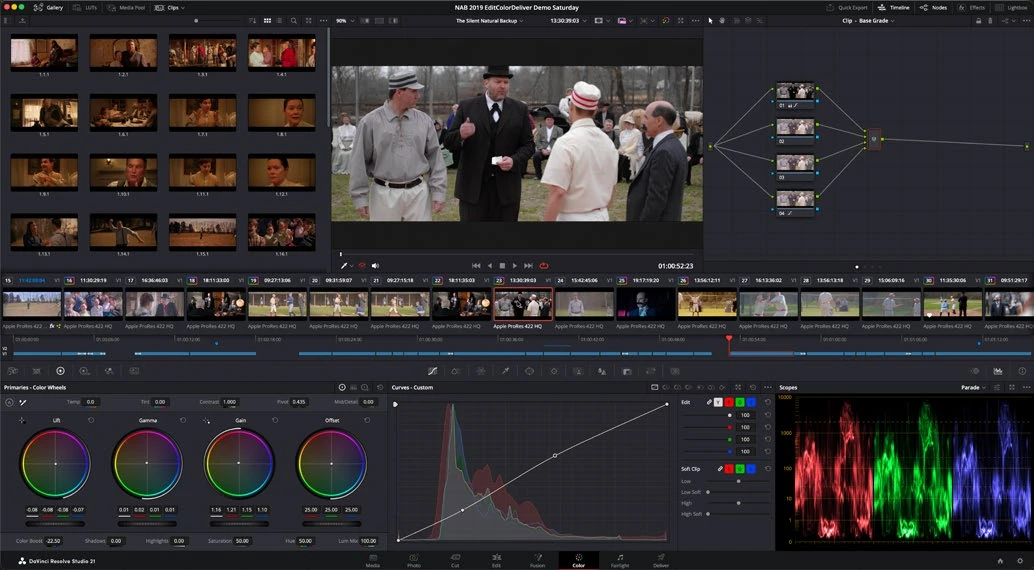
ACTUAL RESOLVE INTERFACEView full size ↗
Work through it
- Add a new labeled node for a secondary correction. Use a qualifier to sample a target color, then inspect the selection in Highlight mode.
- Adjust the selection ranges and matte cleanup carefully. Look for holes inside the subject and unwanted background areas entering the key.
- Add a Power Window around the relevant region when similar colors elsewhere should not be affected. Feather the boundary and inspect it at full viewing size.
- Make a restrained correction, then play the entire shot. A clean still-frame key can chatter or fail when the subject turns or lighting changes.
Your turn
Isolate a colored object and change its saturation slightly while keeping nearby skin or neutral objects unchanged. Check the first, middle, and last frames.
QUICK KNOWLEDGE CHECK
Why combine a qualifier with a window?
Your notes
Write down what worked, what surprised you, and what to try next. Saved on this device.
Original practical lesson · Open the in-house resource shelf for practice files and definitions. Completion records your self-assessment, not certification.