LESSON 08.03 · 45 MIN PRACTICE
HDR, SDR trims, and trustworthy monitoring
HDR delivery changes the display target and the evaluation conditions. It is not simply a brighter SDR grade. Professional work requires a defined specification, suitable monitoring, and a tested output path.
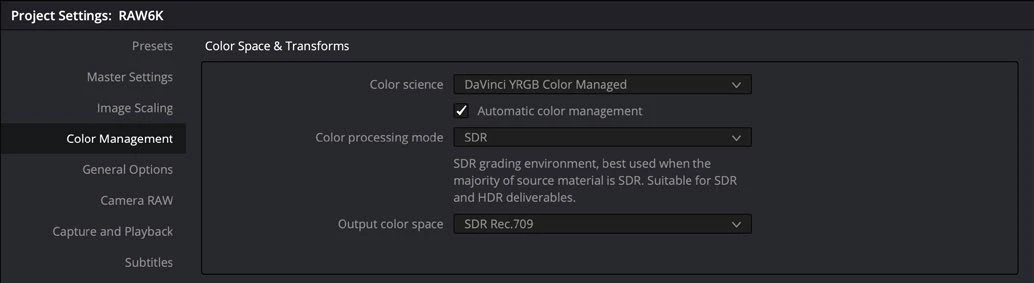
ACTUAL RESOLVE INTERFACEView full size ↗
Work through it
- Write the delivery requirements before grading: HDR transfer function and container, target mastering conditions, resolution, frame rate, and any required SDR companion version.
- In a duplicate project, configure the intended managed output and review the HDR grading controls. Use zones to understand how exposure ranges can be shaped separately.
- Compare the HDR grade with an SDR output or trim workflow. Revisit bright highlights, saturated colors, and face exposure rather than assuming a single transform makes both versions ideal.
- Review the exported result through a compatible display path and inspect metadata required by the receiving platform. If you lack reference HDR monitoring, label the exercise as a pipeline study rather than an approved master.
Your turn
Prepare a written HDR/SDR comparison plan and test it on a short sequence. Record what your actual display can and cannot verify.
QUICK KNOWLEDGE CHECK
Why does an SDR companion version need review?
Your notes
Write down what worked, what surprised you, and what to try next. Saved on this device.
Original practical lesson · Open the in-house resource shelf for practice files and definitions. Completion records your self-assessment, not certification.