LESSON 08.01 · 45 MIN PRACTICE
Color management and scene-referred workflows
A color pipeline defines how camera values become working values and then display values. Input, working, and output color spaces are different roles. A predictable pipeline prevents accidental double transforms.
Camera encoding›Input transform›Working-space grade›Output transform›Display
Conceptual workflow · read from left to right
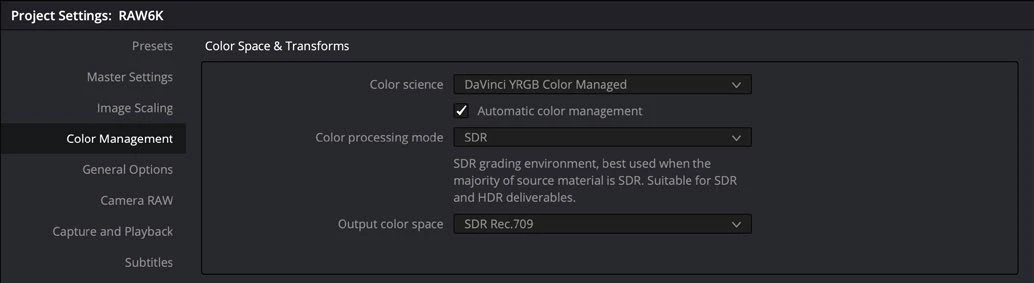
ACTUAL RESOLVE INTERFACEView full size ↗
Work through it
- Duplicate a practice project and open Color Management settings. Explore DaVinci YRGB Color Managed. For a learning test, use a documented wide-gamut working setup and a deliberate SDR output target.
- Assign or verify each clip’s input color space based on actual camera metadata or recording settings. Do not label a clip as log merely because it looks flat.
- Compare the managed result with a manual Color Space Transform workflow in a separate test project. Document where input normalization and output rendering occur.
- Check that a technical LUT or extra output transform is not duplicating work already handled by color management. Test neutral gradients and bright saturated objects for unexpected changes.
Your turn
Make a one-page pipeline note listing your actual source, working, and output spaces. Demonstrate that removing an accidental duplicate transform improves the image.
QUICK KNOWLEDGE CHECK
What commonly causes a double transform?
Your notes
Write down what worked, what surprised you, and what to try next. Saved on this device.
Original practical lesson · Open the in-house resource shelf for practice files and definitions. Completion records your self-assessment, not certification.