LESSON 09.02 · 35 MIN PRACTICE
Merge, masks, and transparent edges
A Merge combines foreground and background images. A mask restricts an operation. Alpha represents transparency, and its interpretation matters at soft edges.
Background + Foreground›Merge + optional mask›MediaOut
Conceptual workflow · read from left to right
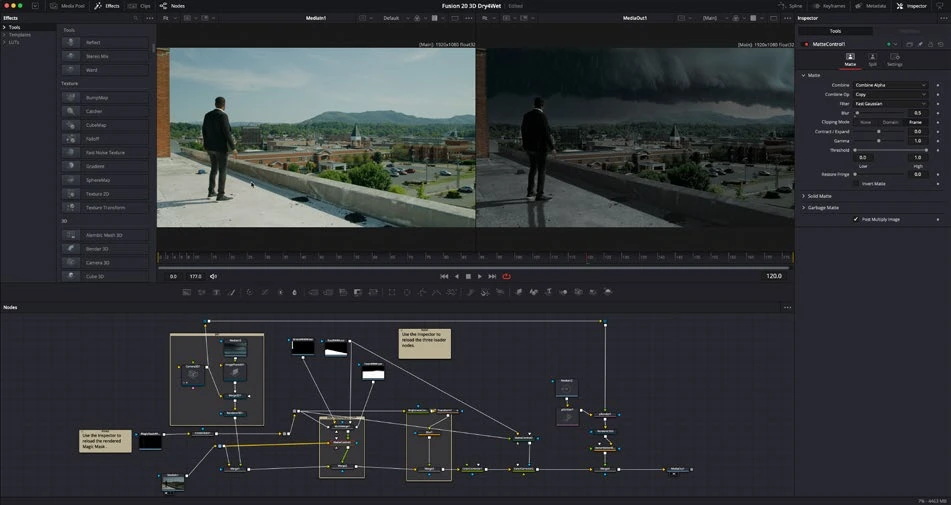
ACTUAL RESOLVE INTERFACEView full size ↗
Work through it
- Create a Background node and a Text+ node. Connect them to the intended background and foreground inputs of a Merge, then connect Merge to MediaOut.
- Add a shape mask to restrict the background or an effect. Move and feather the mask, observing which node it affects rather than assuming it applies to the whole composition.
- Inspect the image’s alpha channel. Compare fully opaque, transparent, and partially transparent pixels at the boundary of your graphic.
- Place the result over a different background. Check for dark or bright fringes that can reveal premultiplication or compositing mistakes, particularly after color or blur operations.
Your turn
Build a lower-third panel with transparent surrounding space, readable text, and a soft edge where appropriate. Preview it over both dark and bright footage.
QUICK KNOWLEDGE CHECK
What does alpha describe?
Your notes
Write down what worked, what surprised you, and what to try next. Saved on this device.
Original practical lesson · Open the in-house resource shelf for practice files and definitions. Completion records your self-assessment, not certification.