LESSON 09.01 · 30 MIN PRACTICE
MediaIn, MediaOut, and the flow of an image
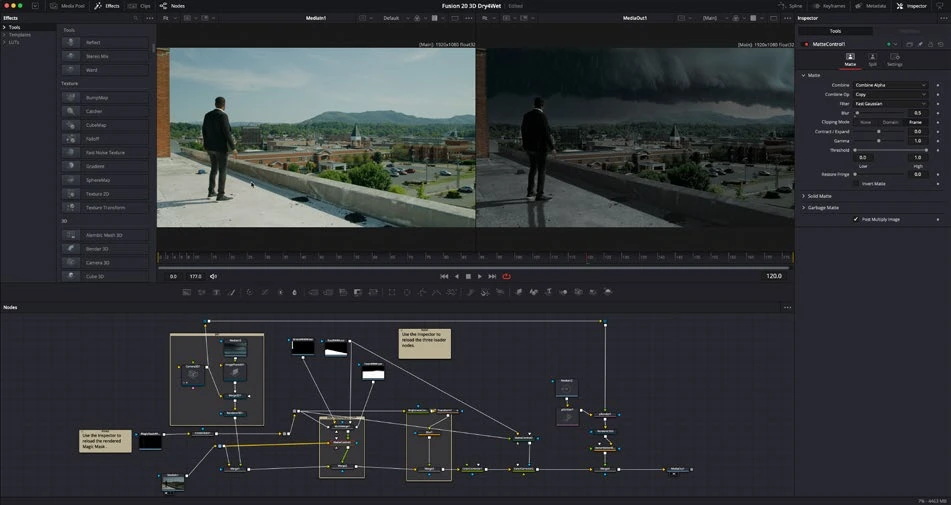
Fusion is a node-based compositor. Connections describe how images and masks flow through operations. MediaOut is the result returned to the timeline; a disconnected effect will not change that result.
MediaIn›Transform›MediaOut
Conceptual workflow · read from left to right
ACTUAL RESOLVE INTERFACEView full size ↗
Work through it
- Open a simple timeline clip on Fusion. Identify MediaIn and MediaOut, the node area, the two viewers, and the Inspector. Select a node and display it in a viewer.
- Insert a Transform between MediaIn and MediaOut. Adjust Center or Size and confirm the output changes. Disconnect it briefly on a practice copy to understand the graph.
- Add a Background and a Text+ node for a separate graphic. Inspect each node independently before trying to combine them.
- Read the graph from inputs to output. Label nodes by purpose, keep connections readable, and compare the viewer of an intermediate node with the final MediaOut.
Your turn
Create a three-node flow that scales or repositions a clip. Demonstrate the original, intermediate, and final results in the viewers.
QUICK KNOWLEDGE CHECK
Which node returns a Fusion composition to the timeline?
Your notes
Write down what worked, what surprised you, and what to try next. Saved on this device.
Original practical lesson · Open the in-house resource shelf for practice files and definitions. Completion records your self-assessment, not certification.