LESSON 15.01 · 35 MIN PRACTICE
Containers, codecs, bit depth, and compression
A container holds streams and metadata. A codec encodes picture or sound. File extension alone does not describe quality, compatibility, or the amount of information preserved.
Source›Processing›Codec›Container›Playback
Conceptual workflow · read from left to right
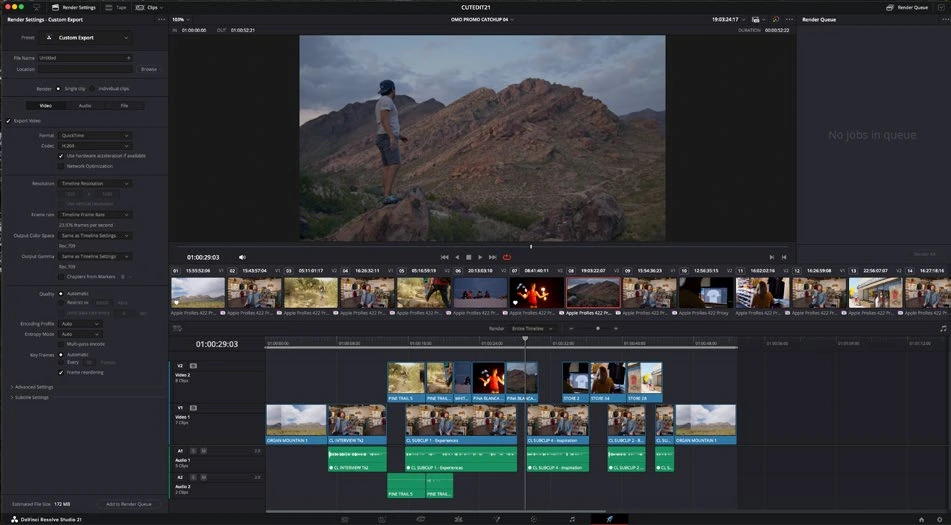
ACTUAL RESOLVE INTERFACEView full size ↗
Work through it
- Inspect a source file’s container and codec in metadata. Distinguish a .mov or .mp4 container from its encoded video and audio streams.
- Compare a compressed review format with a supported high-quality intermediate format. Note differences in file size, playback, and suitability for further editing.
- Review resolution, frame rate, bit depth, chroma sampling, and audio settings supported by your system and selected codec. Some options vary by operating system, hardware, and Studio support.
- Export a short difficult section with motion, fine detail, or gradients. Compare it at normal viewing size and 100% before selecting settings for the whole film.
Your turn
Create a review copy and an intermediate-quality copy of the same sequence. Record their settings, size, and visible differences.
QUICK KNOWLEDGE CHECK
What is the difference between container and codec?
Your notes
Write down what worked, what surprised you, and what to try next. Saved on this device.
Original practical lesson · Open the in-house resource shelf for practice files and definitions. Completion records your self-assessment, not certification.