LESSON 14.04 · 35 MIN PRACTICE
Photo exports, tethering, and print awareness
A finished photo needs an output suited to its destination. Color space, dimensions, file format, and compression influence how it is used. Tethering adds capture reliability and file-management concerns.
ACTUAL RESOLVE INTERFACEView full size ↗
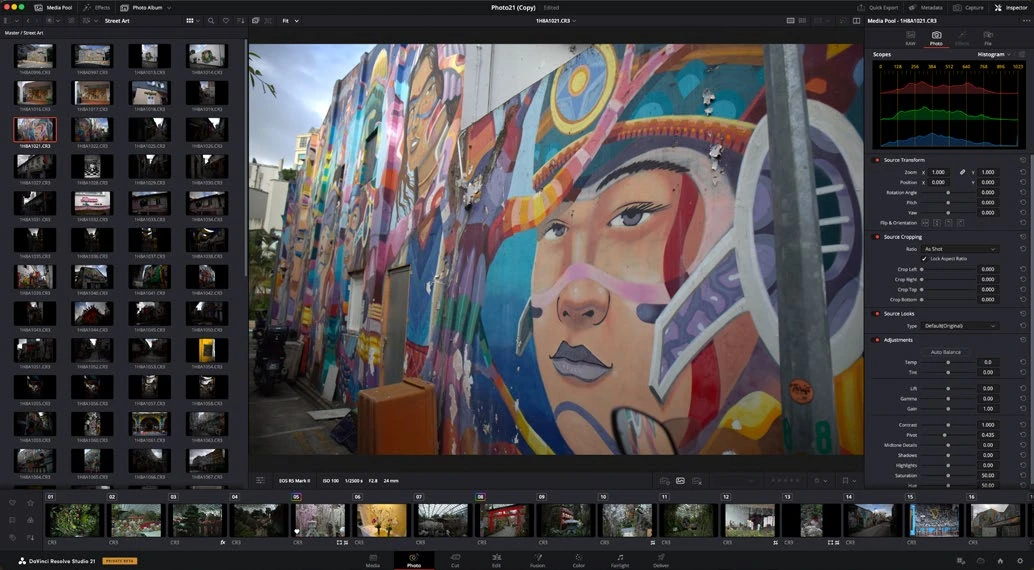
Work through it
- Define the output use before export. For web review, choose suitable dimensions and a broadly supported format; for print, follow the printer’s actual file and color requirements.
- Export a test photo using the Photo page’s available controls. Reopen the output and verify pixel dimensions, orientation, color appearance, and any required metadata.
- If you have a supported tethered camera, test connection and capture into a clearly named destination. Verify that images are saved correctly before an important session.
- Keep original files, project data, and final exports in separate organized locations. Record export choices for the series so later additions can match.
Your turn
Export one photo for screen review and prepare a written specification for a print version. Compare the screen export with the graded source in a color-aware viewer.
QUICK KNOWLEDGE CHECK
What should determine a print export’s settings?
Your notes
Write down what worked, what surprised you, and what to try next. Saved on this device.
Original practical lesson · Open the in-house resource shelf for practice files and definitions. Completion records your self-assessment, not certification.