LESSON 17.04 · 35 MIN PRACTICE
AI assistant integration and human approval points
Assistant integration can help coordinate actions, but permissions, context, and verification still matter. Treat a proposed action differently from a completed, checked change.
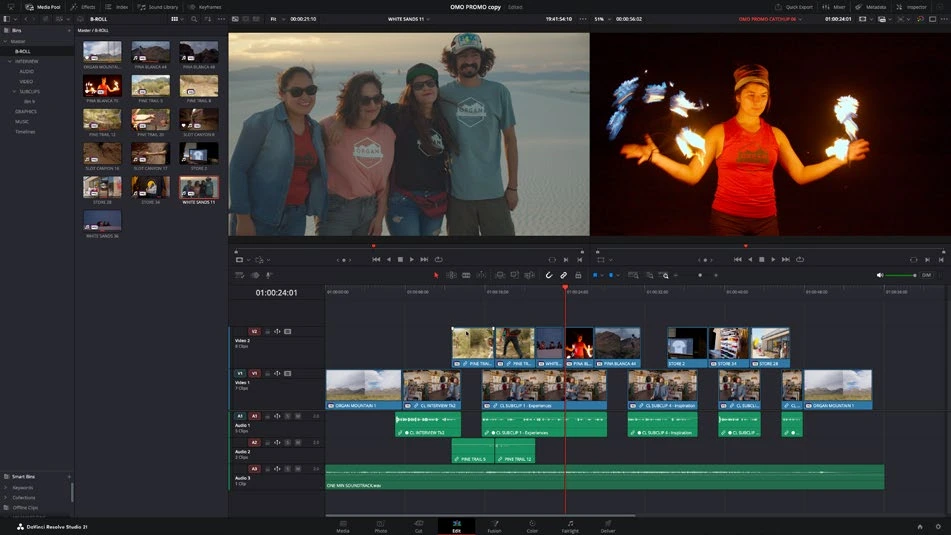
ACTUAL RESOLVE INTERFACEView full size ↗
Work through it
- Inspect the AI assistant integration options available in your Studio installation. Understand what data and project actions the connection can access before enabling it.
- Start with a narrow read-only request about a disposable project. Check that the assistant identifies the correct project and timeline and accurately describes its contents.
- For a reversible edit, state the exact scope and expected result. Review the proposed operation, execute it only in the test project, and compare the actual timeline afterward.
- Require a deliberate review before destructive media actions, overwriting deliverables, or publishing material. Keep a human-readable log of what changed and how to restore it.
Your turn
Write a precise automation brief for creating a review export without overwriting an existing master. Include target timeline, range, destination, naming, and verification criteria.
QUICK KNOWLEDGE CHECK
What proves an assistant task succeeded?
Your notes
Write down what worked, what surprised you, and what to try next. Saved on this device.
Original practical lesson · Open the in-house resource shelf for practice files and definitions. Completion records your self-assessment, not certification.