LESSON 03.01 · 25 MIN PRACTICE
Source Tape and a fast selects pass
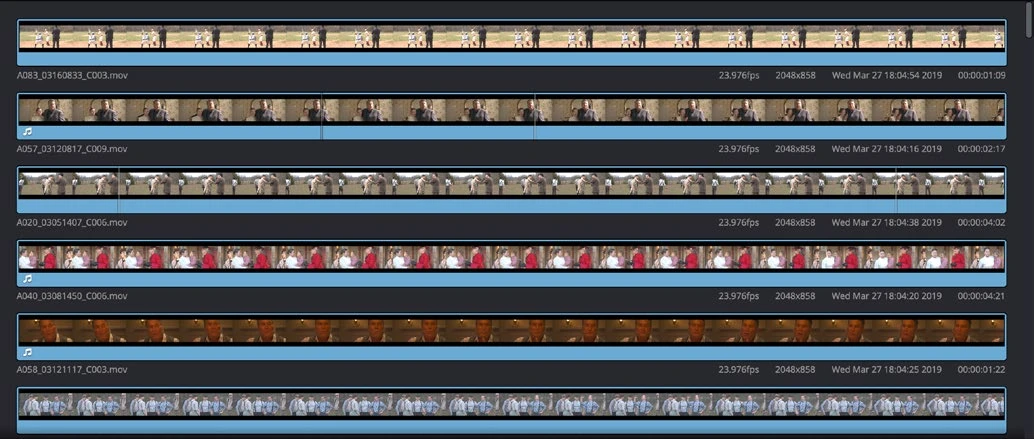
The Cut page emphasizes quick navigation through footage. A selects pass is a collection of usable moments, not a finished story. Keeping those decisions separate reduces distraction.
Review bin›Mark ranges›Collect selects›Build structure
Conceptual workflow · read from left to right
ACTUAL RESOLVE INTERFACEView full size ↗
Work through it
- Place related clips in a bin and open Cut. Try Source Tape to review the bin as a continuous source. Keep the bin scoped to a scene or shoot rather than an entire unrelated archive.
- Use J, K, and L to shuttle. Mark useful In and Out points with I and O. Listen at normal speed before selecting speech so you do not miss its meaning.
- Append useful ranges to a selects timeline. Prefer slightly generous boundaries so breaths and action remain available for later trims.
- Use the overview timeline to navigate broadly and the detail timeline for local timing. Play the selects without adding effects or music.
Your turn
Build a 60–90 second selects reel from at least six clips. Add a short note for the purpose of each selection: setting, action, reaction, or detail.
QUICK KNOWLEDGE CHECK
What is the main purpose of a selects pass?
Your notes
Write down what worked, what surprised you, and what to try next. Saved on this device.
Original practical lesson · Open the in-house resource shelf for practice files and definitions. Completion records your self-assessment, not certification.