Particles, macros, and reusable motion systems
Reusable graphics need a clear internal design and a small set of meaningful exposed controls. A macro should make common changes easier without exposing every implementation detail.
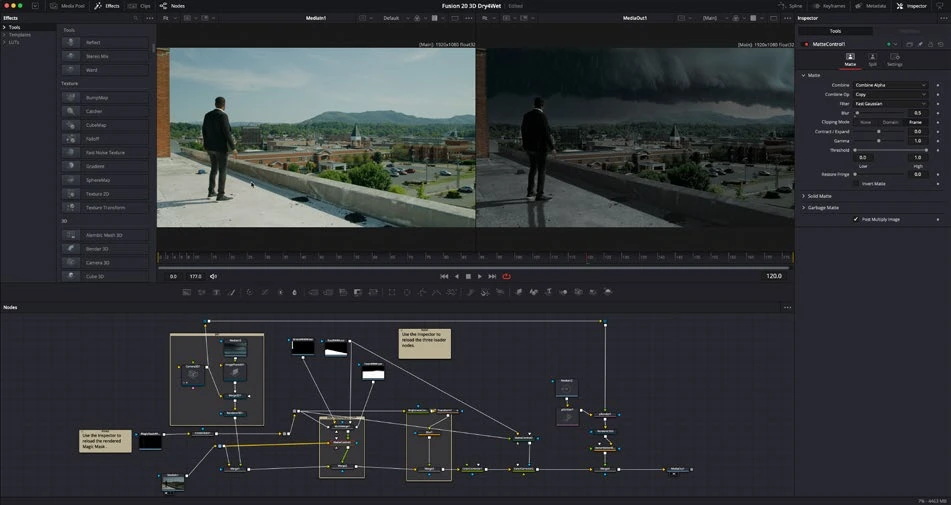
Work through it
- Build a small particle setup with an emitter and renderer appropriate to the composition. Change emission, lifespan, and motion one at a time to understand their effect.
- Limit the active time range and preview resolution while designing. Inspect a full-quality sample before deciding that the system is ready.
- Select a simple finished node group and create a macro with only the controls a future user needs: text, color, scale, and timing where appropriate.
- Test the macro on a second timeline with different duration or resolution. Rename controls clearly, check defaults, and preserve a source composition for maintenance.
Understand the decision
Resolve 21 includes Krokodove graphics tools, and 21.1 expands that collection. Treat new tools as additional building blocks: inspect their input/output types and help descriptions, then test them in a minimal graph before embedding them in a reusable composition.
Your turn
Package a reusable title or particle accent and apply it to two different clips. Document the editable controls in your notebook.
Which controls should a useful macro expose?
Your notes
Write down what worked, what surprised you, and what to try next. Saved on this device.
Original practical lesson · Open the in-house resource shelf for practice files and definitions. Completion records your self-assessment, not certification.