LESSON 12.01 · 40 MIN PRACTICE
Bus architecture, submixes, and track folders
A submix combines related tracks so they can be controlled together. Track folders organize the session visually; grouping tracks and routing their audio are related but distinct ideas.
Dialogue tracks → DX bus›Music tracks → MX bus›Effects tracks → FX bus›Main mix
Conceptual workflow · read from left to right
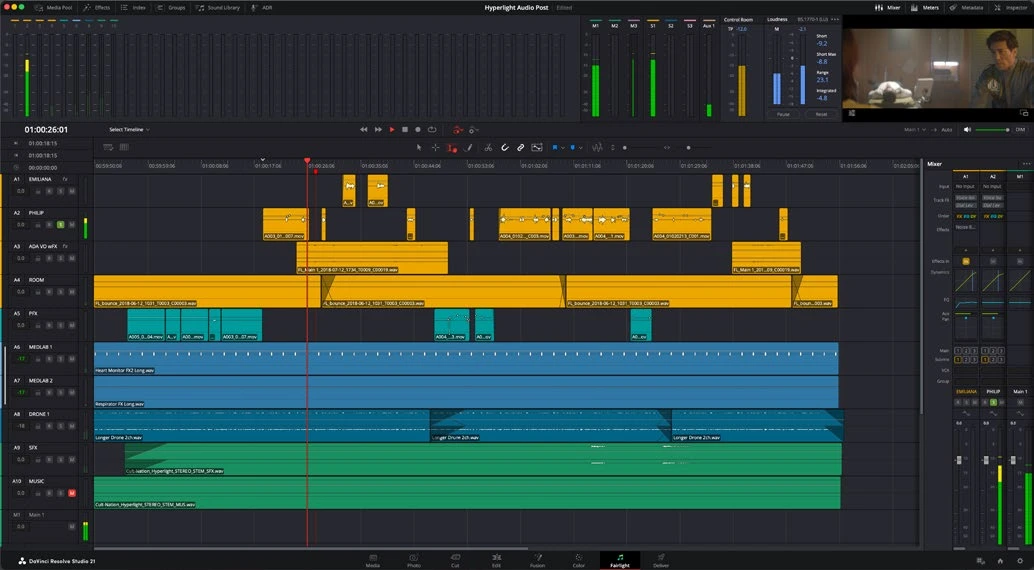
ACTUAL RESOLVE INTERFACEView full size ↗
Work through it
- Create a small session with multiple dialogue, music, and effects tracks. Group or place related tracks in folders for navigation; Resolve 21 adds Fairlight folder organization.
- Set up buses appropriate to the mix, such as Dialogue, Music, and Effects feeding a main mix. Verify routing one section at a time with solo and meters.
- Apply shared processing only where it benefits the group. Check that a bus is not receiving the same signal twice through an unintended route.
- Change the Dialogue bus level and confirm all intended dialogue follows while music remains independent. Restore levels and save a version before complex routing changes.
Your turn
Create a routing diagram for a small documentary mix. Explain which controls organize the view and which actually change the audio path.
QUICK KNOWLEDGE CHECK
What makes a submix different from a visual folder?
Your notes
Write down what worked, what surprised you, and what to try next. Saved on this device.
Original practical lesson · Open the in-house resource shelf for practice files and definitions. Completion records your self-assessment, not certification.