LESSON 12.04 · 45 MIN PRACTICE
Stems, surround, immersive sound, and mix QC
Stems are grouped audio deliverables such as dialogue, music, and effects. They must align in time and combine as intended. Multichannel and immersive work adds channel-layout and monitoring requirements.
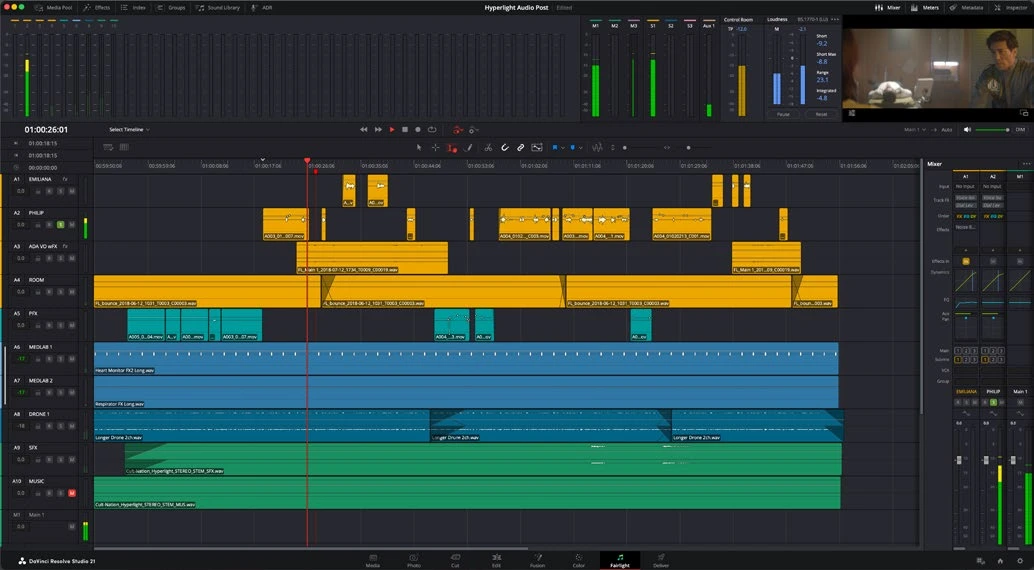
ACTUAL RESOLVE INTERFACEView full size ↗
Work through it
- Define the required stems, channel layouts, start time, duration, and file naming before exporting. Make sure each stem’s routing includes the intended material and processing.
- Render a full mix and synchronized stems. Reimport them into a clean timeline and compare their combined result with the full mix, accounting for any nonlinear bus processing that prevents a perfect sum.
- For multichannel practice, inspect the bus format and channel mapping. Confirm actual channel order against the delivery requirement; do not infer it from a filename.
- Perform a final listening pass for clicks, missing words, accidental mutes, excessive noise reduction, sync errors, and truncated reverb tails. Check downmix behavior where required.
Your turn
Deliver dialogue, music, and effects stems for your short film. Reimport all three at the same start time and verify alignment and coverage.
QUICK KNOWLEDGE CHECK
What must synchronized stems share?
Your notes
Write down what worked, what surprised you, and what to try next. Saved on this device.
Original practical lesson · Open the in-house resource shelf for practice files and definitions. Completion records your self-assessment, not certification.