← All 100 how-to guidesGUIDE 079 / 100
FUSION & COMPOSITING
How to make a reusable Fusion title template
DaVinci Resolve Studio 21.1 · Original practical guide
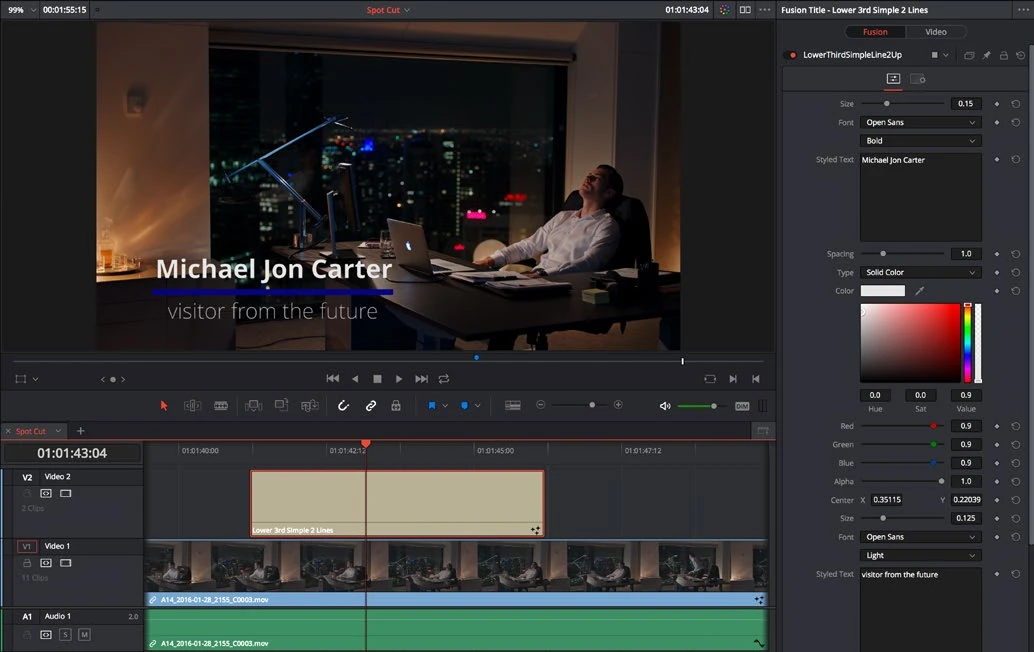
A useful template exposes only the controls someone needs to change, such as text, color, and timing. Test it on a fresh timeline before treating it as reusable.
ACTUAL RESOLVE INTERFACEView full size ↗
Step by step
- Build the title in Fusion with a clean final output and meaningful node names. Remove experimental or disconnected nodes.
- Select the nodes that belong to the title and use Macro > Create Macro. Expose the text and design controls the editor should adjust.
- Save the macro as a .setting file in the user Fusion Templates/Edit/Titles location appropriate to the operating system.
- Refresh or restart Resolve, then drag the title from the Effects library into a different timeline. Test several lengths, resolutions, and text strings.
Check your result
The title appears in the library and its exposed controls work without opening the node graph.
← PREVIOUS GUIDEAnimate a polygon mask for rotoscopingNEXT GUIDE →Fix a black or missing Fusion output
Technical reference: DaVinci Resolve 21.1 Reference Manual, Blackmagic Design, September 2026. Screenshot page numbers refer to that manual. Independently written guidance; specific controls may vary by platform and build. Authorship & image credits.