← All 100 how-to guidesGUIDE 099 / 100
FIXES & PROJECT SAFETY
How to move a project to another computer
DaVinci Resolve Studio 21.1 · Original practical guide
A successful move includes media and dependencies as well as project data. Confirm the receiving machine’s Resolve version and capabilities before the handoff.
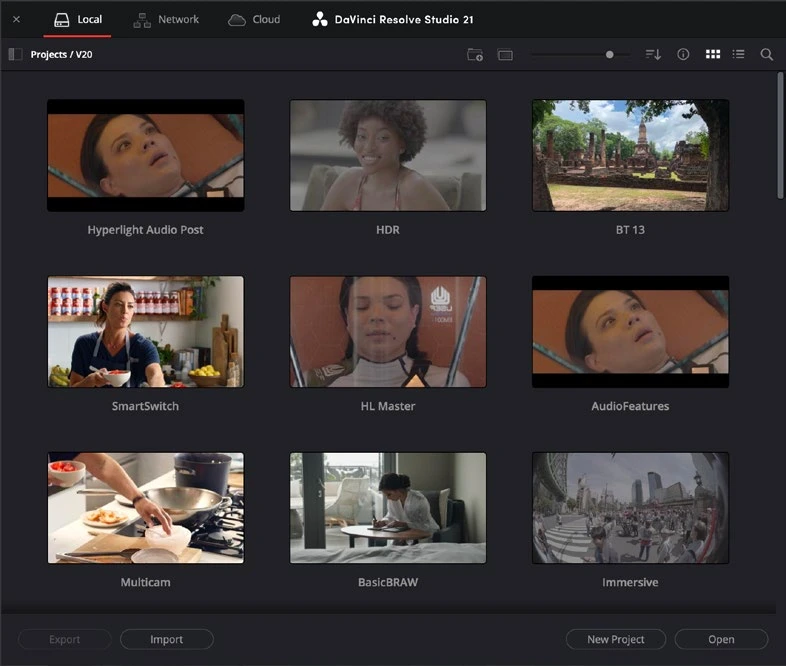
ACTUAL RESOLVE INTERFACEView full size ↗
Step by step
- Choose a project archive for a packaged move, or export a .drp and separately copy the original media with its folder structure.
- Record fonts, LUTs, plugins, graphics, and other dependencies that may not be embedded. Confirm the receiving system supports the required codecs and Studio features.
- Import or restore the project on the other computer. Relink sources if paths changed, then inspect representative clips from every media type.
- Play a complex section and render a test containing titles, Fusion, grading, sound, and captions. Keep the source computer’s copy until the handoff is verified.
Check your result
The receiving computer can reopen, edit, and render the project from its own available media.
Technical reference: DaVinci Resolve 21.1 Reference Manual, Blackmagic Design, September 2026. Screenshot page numbers refer to that manual. Independently written guidance; specific controls may vary by platform and build. Authorship & image credits.