← All 100 how-to guidesGUIDE 090 / 100
EXPORT & DELIVERY
How to reduce export file size without ruining quality
DaVinci Resolve Studio 21.1 · Original practical guide
File size is mainly driven by duration and encoded bitrate. Reduce it by comparing short representative samples, not by changing every setting at once.
ACTUAL RESOLVE INTERFACEView full size ↗
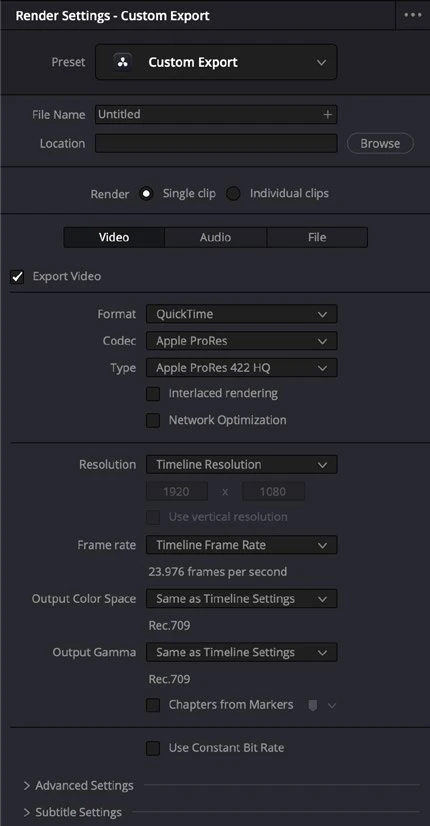
Step by step
- Keep the required resolution and frame rate fixed, then choose an efficient codec supported by the receiving device.
- In Deliver, lower the bitrate or quality target in small steps. Export a sample with movement, fine texture, and gradients.
- Compare the sample at normal viewing size and inspect difficult areas for blockiness, banding, or smeared detail.
- Choose the smallest version that meets the real viewing requirement, then export the full program and check its resulting size.
Check your result
The file meets the delivery size limit while preserving acceptable motion and detail.
Technical reference: DaVinci Resolve 21.1 Reference Manual, Blackmagic Design, September 2026. Screenshot page numbers refer to that manual. Independently written guidance; specific controls may vary by platform and build. Authorship & image credits.